Alert: Alert Log
IP-guard V2.84
Ø In the Alert Rules windows, there are several options available for alert log. (See Figure 1)
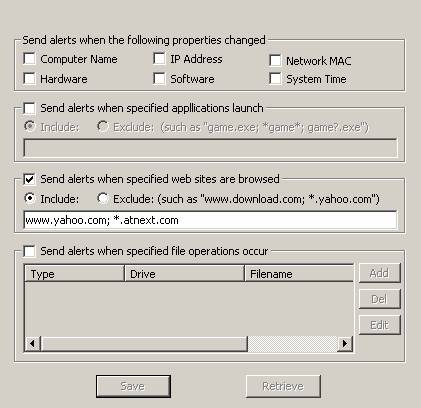
Figure 1
Ø When the Alert event is triggered, the event information will log in the Event Logs windows. (See Figure 2)
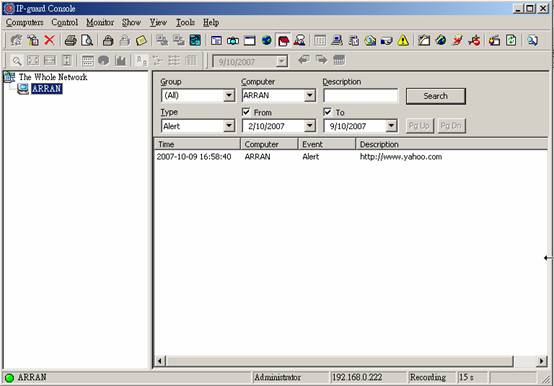
Figure 2
IP-guard
V3
Ø To enable the Alert Log function in IP-guard V3, Select the Alert box in any policy property and set the Alert Level. (See Figure 3)
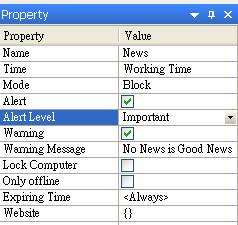
Figure 3
Ø
When the Alert Log is enabled, an
icon  will show next to policy name. (See
Figure 4)
will show next to policy name. (See
Figure 4)
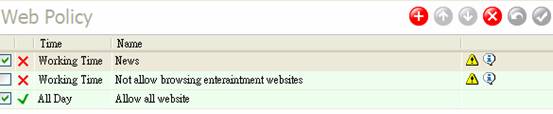
Figure 4
Ø To check the Alert Log in IP-guard V3, Click the Alert Logs icon (Figure 5a) or Click Tools à Alert on the menu bar. (Figure 5b)
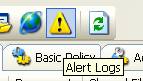
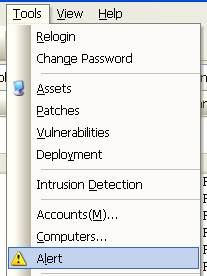
Figure 5a Figure 5b
Ø The Alert Message List Windows (see Figure 6) will list out all the alert log of all the Alert Log function enabled policy.
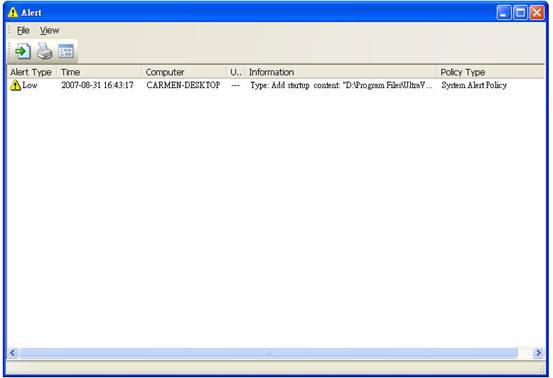
Figure 6